The package
talkpal is a
LaTeX-based style file which allows you to create pdf files which can be
used for presentation.
Using a multi-media projector, you can project your talk on the
screen in different slides. The slides can be divided into different
segments which can appear one at a time, at the push of one key on the
keyboard or one click of the mouse.
The files in the distribution
These are the names of the files in the package, along with
an upper limit of their sizes given in parentheses:
Only the first file is indispensable. The pdf file is necessary for
learning the commands. The other files are inessential, as explained
below. Read more about these files to decide which ones you want to
download.
The pdf file
I suggest that you first download the
file talkpal-doc.pdf, open it and go through
it. Choose any pdf viewer. I will assume that you know how to
navigate through the file with the viewer of your choice.
Go to the full-screen view now. You may
use some special features of this mode. For example, in the ACROBAT,
you can set up in a way that new slides appear in the DISSOLVE mode, or
in some other mode that you like. These, of course, have to be set
before you enter the full-screen view mode.
You cannot fail to notice that this file is a manual for talkpal. It is also an example created with talkpal. If you are satisfied with the example and
want to use talkpal for your presentations,
continue.
The style file
As already said, the file talkpal.sty is the
main file which performs all the tricks for you. You need to install it.
-
Log in as the superuser (root), and move the
file talkpal.sty to any place on your computer under the
\texmf directory, preferably to some subdirectory
where other style files are kept, or in a new subdirectory created for
your personal use.
Run the command
texhash
so that the LaTeX compiler knows about talkpal. Believe it or not, that's all you need to
do for the installation.
- If you don't have superuser access, you can put the
file talkpal.sty within any directory, but then it will
work only within that directory.
The inessential files
The file talkpal-doc.tex is the source file from
which talkpal-doc.pdf has been produced.
You may want to look into the source file to get some idea of how to
write a talkpal file. But, if you are
sufficiently familiar with LaTeX, you need not look into this file at
all.
It is advisable that you use this file as it is, only as a guide if you
need. If you try to rebuild the file
talkpal-doc.pdf by running pdflatex on this
file, be careful not to lose the pdf file downloaded from this source.
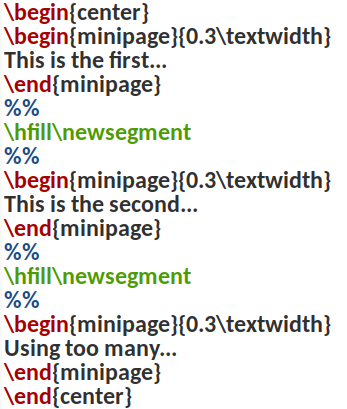
The two png files included in this distribution are used
as inputs in this tex file.
How to use talkpal
All instructions regarding the use of talkpal
have been given in the sample file talkpal-doc.pdf
mentioned earlier. In case of any problem, send a message to the
creator of talkpal.
CTAN availability
The entire talkpal package can be obtained from the CTAN archive as
well, in the directory
/macros/latex/contrib/talkpal